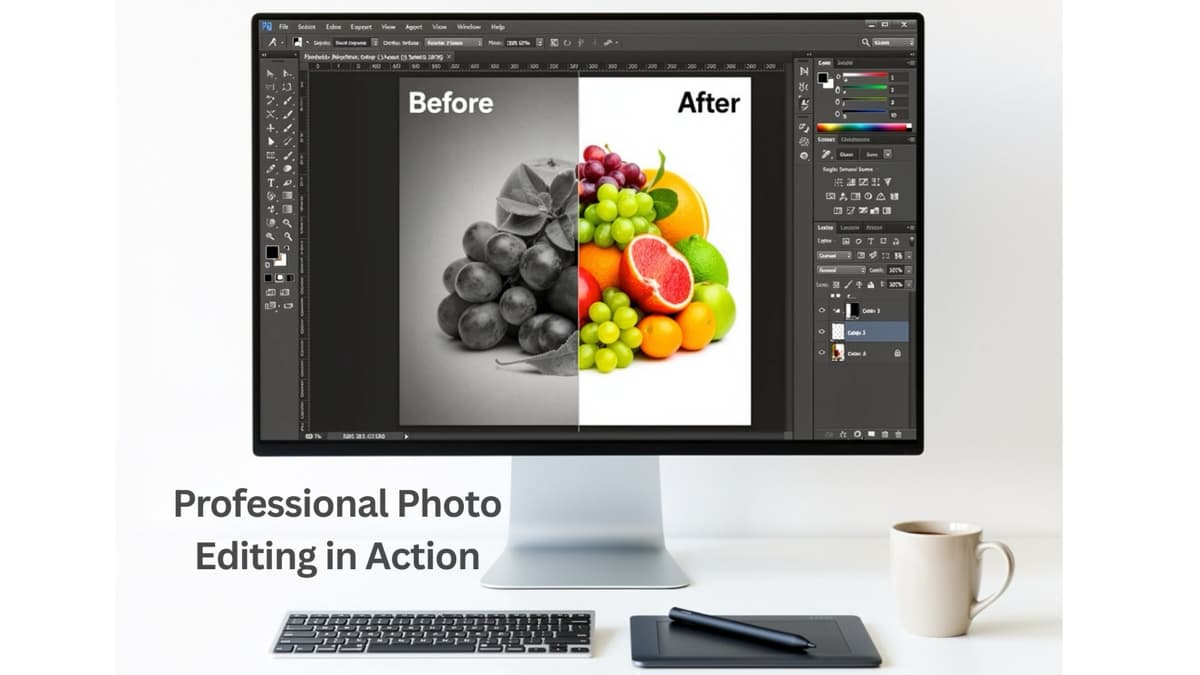
Today, Images are often the first or only way customers connect with your brand. Whether you run an online store in the USA, a creative agency in the UK, or a product brand in Australia, professionally edited images are essential. They build trust and boost clicks and sales.
This guide explains the real business value of photo editing, why companies worldwide trust experts, and how investing in quality image editing can help your brand stand out in a competitive environment.
Why Professional Photo Editing Matters for Modern Businesses
Today’s consumers expect clear, consistent, and high-quality images. Poor lighting, distracting backgrounds, or uneven colors can quickly hurt how customers view your product or service.
Professional photo editing provides:
- Clean, polished visuals that reflect your brand quality
- Consistent look and feel across your website, social media, and marketplaces
- Optimized images that load fast and perform better in search results
For businesses, professional editing is more than making photos look good. It delivers real results like higher click-through rates, better conversions, and stronger brand recognition in markets like the US, UK, Europe, and Australia.
Building Trust and Credibility with High-Quality Images
First Impressions Happen in Seconds.
 Research shows customers judge a brand’s credibility within seconds of visiting a website or social media platform.
Professional photo editing helps you:
- Remove distracting elements and visual noise
- Correct exposure, white balance, and color
- Present products and services in a clean, honest, and appealing way
Visual Consistency Builds Brand Trust
Brands that succeed worldwide keep a consistent visual identity. When your images follow a clear style, customers recognize and remember your brand. Photo editing ensures:
- Consistent background style (white, light grey, lifestyle scenes, etc.)
- Uniform color tones, contrast, and cropping
- Aligned image dimensions across all platforms This consistency shows professionalism and reliability, which are key to building trust with online buyers who can’t see or touch your product.
How Photo Editing Boosts Sales and Conversions
Better images mean higher click-through rates. On marketplaces like Amazon, eBay, Etsy, and local sites in the UK or Australia, your product thumbnail often decides if a user clicks or scrolls past. Optimized, well-edited images can:
- Stand out in crowded search results
- Highlight product details more clearly
- Increase click-through rates (CTR) from search and category pages
Clear Presentation Reduces Hesitation-unclear images raise questions such as:
- “Is this the real color?”
- “What is the actual size?”
- “How does it look from the back or side?”
Professional photo editing, combined with good photography, helps answer these questions by:
- Showing accurate, consistent colors through advanced color correction
- Using multiple angles and perspectives
- Presenting close-ups that highlight texture and details When customers feel confident they understand the product, they’re more likely to make a purchase.
Fewer Returns and Customer Complaints
Mismatched colors, misleading edits, or poorly presented products often lead to returns and negative reviews. Accurate editing helps you:
- Match product photos with real-life appearance
- Avoid over-editing that creates unrealistic expectations
- Reduce return rates caused by “item not as described” issues
This is especially important in markets with strong consumer protection laws, such as the EU, UK, USA, and Australia.
Key Photo Editing Services That Impact Business Results
Different businesses need different editing solutions. Here are the main services that directly affect performance for brands, retailers, and agencies. Clipping Path and Background Removal: Clipping path is a precise way to separate a subject from its background using the Pen Tool in
Adobe Photoshop. This is useful when:
-
Preparing product images for marketplaces (Amazon, eBay, Walmart, Shopify, WooCommerce)
-
Creating catalogues or brochures with a consistent white or colored background
-
Placing products into new lifestyle or promotional scenes Benefits for your business include:
-
Clean, distraction-free presentation
-
Compliance with marketplace image guidelines
-
Flexible use in multiple marketing materials
Image Masking for Detailed Subjects: Image masking is used for edges that are too complex for simple paths, such as:
- Hair in fashion and beauty images
- Fur in pet product photos
- Transparent or semi-transparent objects (veils, glass, smoke, etc.)
For fashion brands, hair and fur masking is essential to keep a natural look. Poor masking creates rough, fake edges that make your images look cheap and unprofessional. Color Correction and Variations: Color correction ensures that every product appears in its true shade, regardless of lighting or
camera differences. This is important for:
- Fashion and apparel brands (accurate fabric colors)
- Home décor, furniture, and paint brands -• Jewelry, cosmetics, and accessories
Professional editors can create color variants from one base image (for example, turning a single t-shirt photo into several color options), which helps:
- Reduce the cost of photographing every color separately
- Launch new color variations quickly
- Present a uniform style across all product images
Retouching and Enhancing:
Retouching improves an image without misleading customers. Common tasks are:
- Removing dust, scratches, and blemishes
- Smoothing wrinkles in fabric
- Balancing skin tones in model shots
- Enhancing shine, texture, and detail in jewelry or metal objects
High-end retouching is especially useful for:
- Fashion and beauty campaigns
- Jewelry and luxury products
- Advertising and editorial images
Ghost Mannequin and Neck Joint Editing: For apparel and fashion brands, ghost mannequin editing is a useful technique. It combines several images to create a realistic 3D look without showing the mannequin or model’s head.
Benefits include:
- Clean, consistent representation of clothing
- Focus entirely on fit, shape, and design
- A professional, brand-level appearance suitable for global e-commerce
Global E-Commerce Standards for Photo Editing
Meeting Amazon, eBay, and Marketplace Requirements: Major marketplaces in the USA, UK, Europe, and Australia have strict image rules. Common
requirements are:
- Pure white background (RGB 255, 255, 255) for main images
- No excessive text or logos on the main product photo
- Minimum resolution standards for zoom functionality
Professional background removal, clipping path, and resizing help ensure your products: Amazon product image requirements.
- Meet compliance requirements
- Avoid rejections or listing delays
- Look competitive next to other top sellers
Optimizing Images for Website Speed and SEO
A hard shadow is created when an object blocks a strong, direct light source, producing a sharp and well-defined outline. In contrast to soft or natural shadows, hard shadows have sharp edges and produce a dramatic, high-contrast effect that highlights the product. Hard shadows are perfect for highlighting shapes, textures, or bold designs. They give product photos a striking, professional look and can make even simple objects feel more dynamic. For example: A watch or sunglasses with a clear, sharp shadow on a white background, emphasizing its shape and contours.
Soft Shadow Effect
A soft shadow effect is a gentle, diffused shadow that wraps lightly around a product. Soft shadows are different from hard shadows because they have blurred boundaries. Soft shadows give products a smooth and natural appearance. In addition, they also make products look delicate and refined. This shadow effect is particularly useful for eCommerce photos where you want a clean, professional look that highlights the product without harsh contrast. Example: A delicate piece of jewelry or a cosmetic bottle on a white background with a soft, fading shadow beneath it.
Cast Shadow
A cast shadow is created when a product blocks light, casting a shadow onto the surface behind or beneath it. This type of shadow effect gives the object a sense of grounding. Also, makes it look like it’s truly resting on a surface rather than floating in space. A cast shadow adds depth and realism to product photos, especially on plain or white backgrounds. In addition, it follows the natural shape of the object, helping the image feel more authentic and visually appealing to buyers. For example A coffee mug or a shoe casting a realistic shadow on a table surface.
How Shadow Editing Can Transform Your Product Images
Shadow edits are a simple yet powerful way to elevate your product photography. Here are some ways you can use shadows to make your images more appealing and professional.
Make White Background Photos Pop with Shadows
Plain white backgrounds are clean, but they can make products look flat. Simply
applying a clipping path or masking isn’t enough—your images still lack dimension.
Adding a floating shadow or drop shadow instantly brings products to life, separating
them from the background and giving the image a three-dimensional feel.
 Example: A pair of sneakers is placed on a pure white background with a soft drop
shadow underneath. This small shadow detail makes the shoes look more premium,
balanced, and visually appealing.
Example: A pair of sneakers is placed on a pure white background with a soft drop
shadow underneath. This small shadow detail makes the shoes look more premium,
balanced, and visually appealing.
Bring Out the Shine in Jewelry Photos
Reflection shadows work especially well for luxury products like jewelry. They add a
subtle mirror effect, giving the impression the jewelry is sitting on a reflective surface
while highlighting its intricate details.
 Example: A diamond finger ring enhanced with a reflection shadow edit for a more
premium look.
Example: A diamond finger ring enhanced with a reflection shadow edit for a more
premium look.
Give Your Product a Fresh Background
Not all product photos need a white background. When replacing the original
background with a new one, shadows may not match perfectly, making the product look
out of place. By manipulating the original shadow, you can achieve a natural and
seamless effect that seamlessly integrates the product into its new surroundings.
 Example: Background change of a product with its natural shadow to maintain realism.
Fix or Soften Harsh Shadows
In some cases, the shadows in the original images may be too prominent, distracting, or irregular. Shadow editing can help reduce or eliminate the unnecessary aspects of the shadows, keeping the product as the central point of interest while adding depth. Example: A red toy car with a harsh, long shadow is softened in post-production to make it look natural without overpowering the image.
Remove Shadows of Unwanted Elements
At times, there may be objects such as hangers, props, or background objects that
create shadows in your image. Even if the objects are removed from the image, the
shadows can still be present. Removing the shadows that are left in the image will make
it look professional.
 Example: A coconut oil bottle with the leaf shadow carefully removed, leaving a clean,
smooth, and distraction-free background that clearly highlights the product.
Example: A coconut oil bottle with the leaf shadow carefully removed, leaving a clean,
smooth, and distraction-free background that clearly highlights the product.
Creative Shadow Styles That Make Products Pop
Shadow edits aren’t always about realism. You can get creative to tell a story, highlight a theme, or make your image stand out for ads or social posts. Think about a pair of running shoes on a white background. By adding shadows in the right way, the photo can show movement and energy, not just the shoes. Product image shadow edits are not just visual changes—they tell a story, guide the viewer’s eyes, and make the image look professional. With the right shadow, even simple products can look exciting and more attractive to customers.
Conclusion
Shadows' effects might seem like a small detail, but they can completely transform your product photos. From adding depth to white backgrounds, shadow effects make your products look professional, realistic, and eye-catching. In addition, if you want your product images to stand out and convert better, professional shadow editing is the key. At PathClips.com* we provide expert shadow effect services like drop shadows, floating shadows, natural shadows, reflection shadows, and more, to make your product photos look polished and ready for any eCommerce platform.