
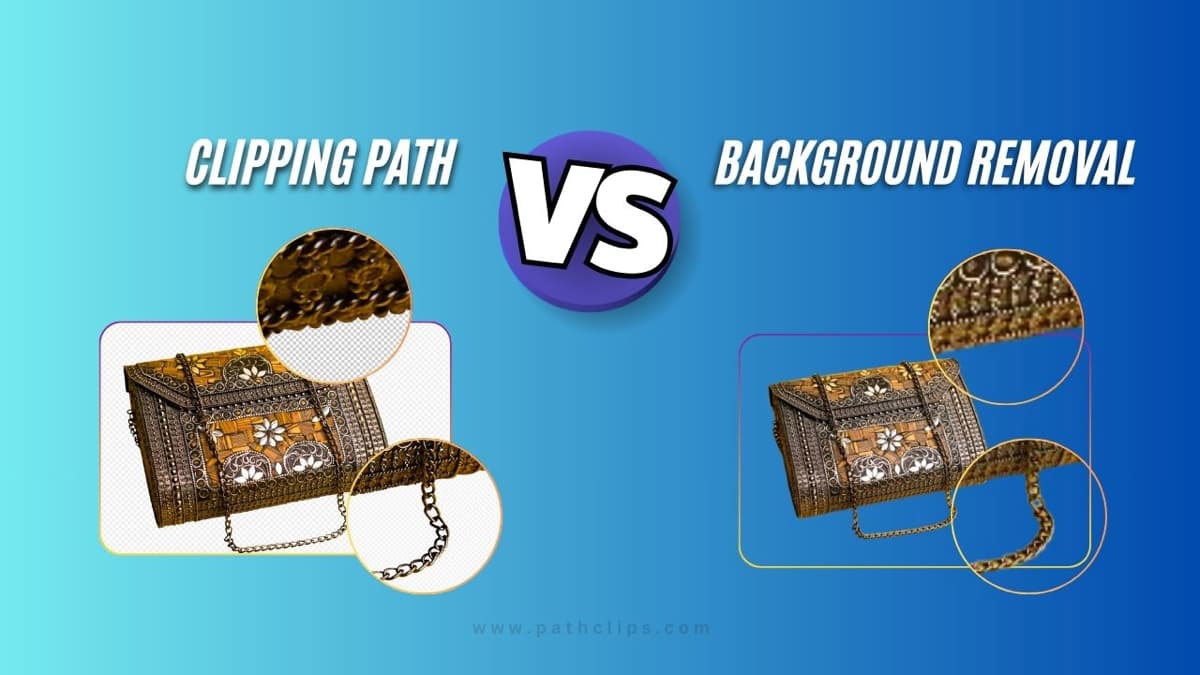
Clipping Path vs Background Removal: What’s the Difference?
Clipping path and background removal are two popular image editing techniques used in ecommerce, photography, and design. While both are used to isolate objects from their background, they work differently and are suited for different types of images.
In this guide, we’ll explain the difference between clipping path and background removal, when to use each method, and which one is best for your needs.
Introduction
Many people confuse clipping path and background removal. Check our clipping path service Or see background removal service Although they seem similar, they are technically different processes. High-quality product images make a big difference. In addition, they don’t just showcase your products; they also build trust. Moreover, Polished photos also boost your brand authority. For a professional catalog look, image editing is key. Two main techniques that dominate photo editing services are Clipping Path and Background Removal. Each one is the best for a different purpose. If you need complex edits, use the Clipping Path, which works well for precise edits. Background Removal is faster for simple product images. Choosing the wrong method can cause jagged edges or lost details. It can also increase costs for your image editing workflow. Let’s find out which is best for your products, Clipping Path or Background Removal, and see which one you should use.
What is Clipping Path?
Clipping path is a manual photo editing technique where a designer uses the pen tool to draw a precise path around an object. Designers often use the Photoshop Pen Tool to draw a vector path around the edges of a product. Once the path is complete, everything inside it is kept, while the outside is removed or hidden. In addition, this method is highly effective for products with sharp, defined edges. For example, jewelry, electronics, or furniture. This photo editing technique ensures clean, crisp cutouts that look professional in catalogs, advertisements, and ecommerce listings. However, it is less suitable for complex shapes such as hair or fur, where fine details are harder to capture with paths.
What is Background Removal?
Background removal removes unwanted backgrounds using either automated tools or manual masking techniques. It helps make your images look clean and professional, ready for eCommerce catalogs, websites, or social media. These days, AI-powered background removal tools are popular. Some are free, others are paid. You can quickly remove backgrounds from any subject using just one click. This type of photo editing doesn’t always provide the same level of precision as professional software like Photoshop or Lightroom. AI tools can sometimes have trouble with complex shapes, very small details, or shiny surfaces that reflect light. Because of this, many businesses still rely on professional photo editing services to achieve clean, accurate, and high-quality results.
Key Difference between Clipping Path and Background Removal
Clipping path focuses on precision edges, while background removal focuses on isolating subjects.
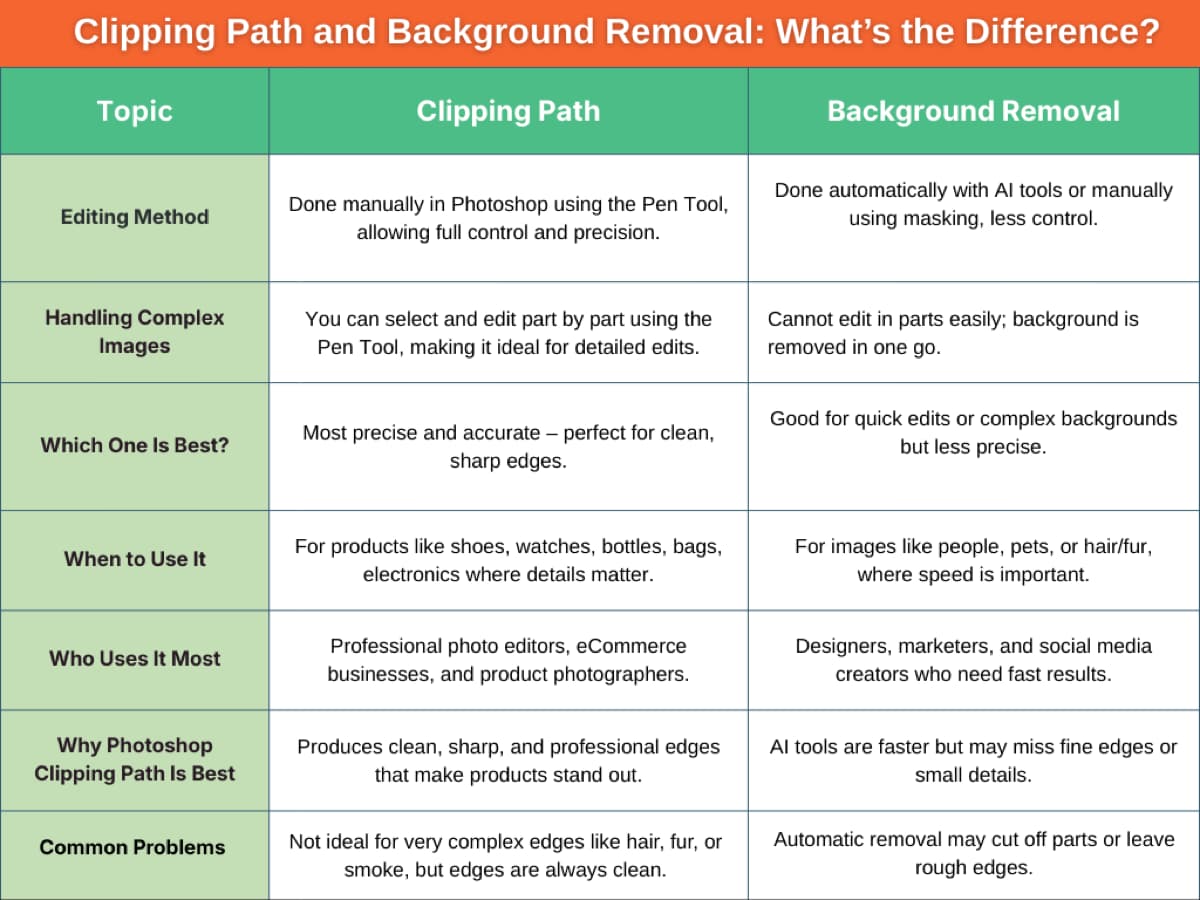
Which One is Better for Product Images?
Choosing between Clipping Path and Background Removal depends largely on the type of product and the level of detail required in your images. Understanding the strengths of each method ensures your products look their best online, helping attract more customers and increase sales.
Small or Simple Products
Background Removal works best on items with straight edges and simple shapes, such
as a pen, phone case, bottle, or box. This method is quick, effective, and works well
when the subject has clear edges. You can quickly separate the product from its
surroundings with a Background Removal tool. In addition, it creates a clean, white, or
clear background without sacrificing quality.
 For these types of products, speed and consistency are key, and Background Removal
delivers both, making it perfect for bulk product listings or fast eCommerce uploads.
For these types of products, speed and consistency are key, and Background Removal
delivers both, making it perfect for bulk product listings or fast eCommerce uploads.
Complex Products
When a product has complex shapes or overlapping parts—such as jewelry, lace-up shoes, multipart electronics, or decorative items—simple background removal is often
not enough. In these cases, a Clipping Path is the better solution. It allows editors to carefully trace the product by hand, section by section, so every edge stays clean, sharp, and accurate.
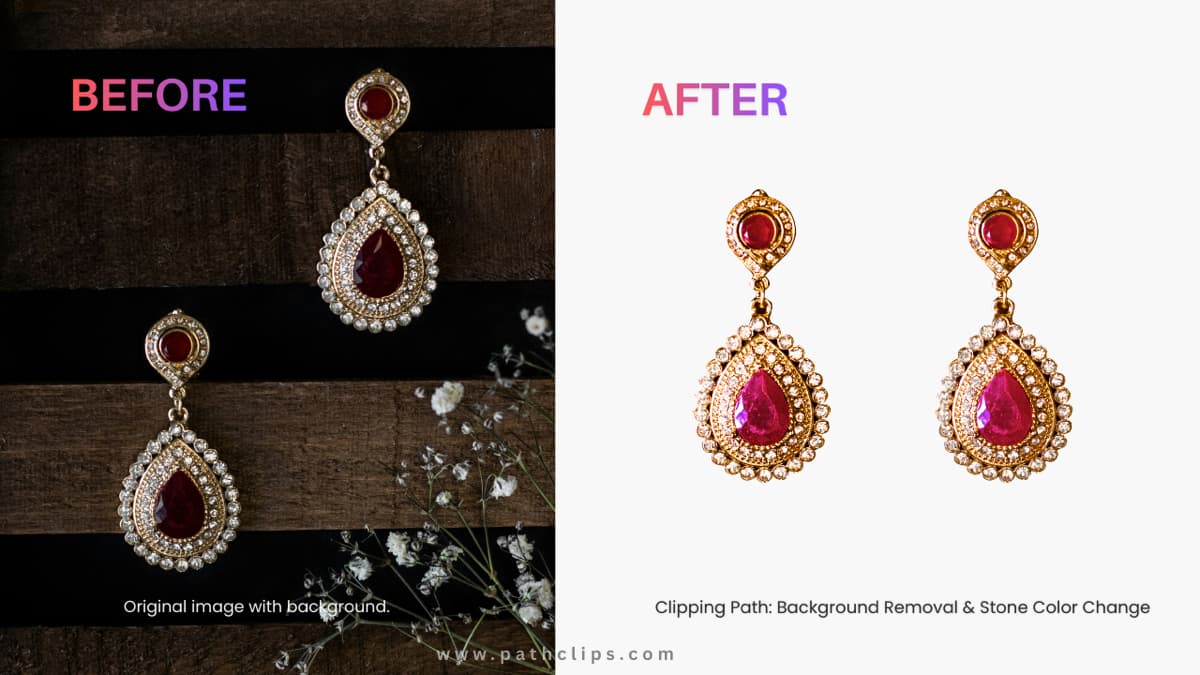
Benefits of Professional Photo Editing Services
Professional photo editing offers many advantages that help your products look their best and attract more customers.
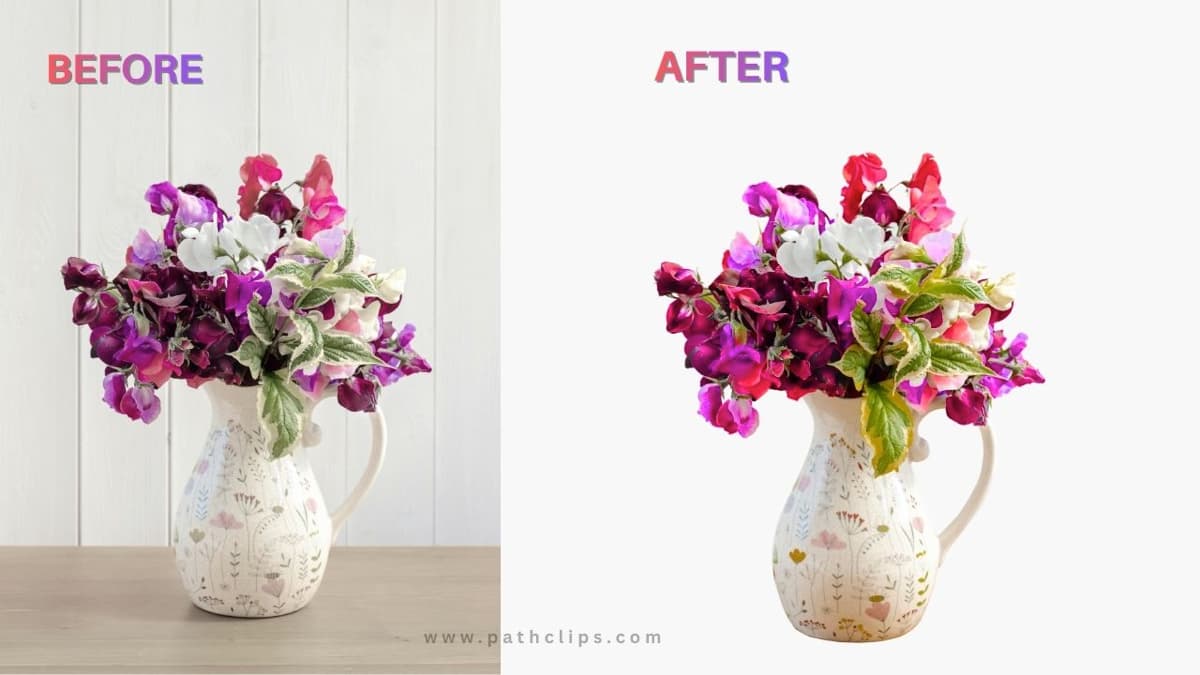
High-Quality Product Images
Professional image editing services ensure that all images of your products are highquality and clean, appealing to your customers. For example, an image of jewelry with proper lighting and smooth edges will look luxurious and appealing to your customers, helping them trust your products.
Wide Range of Editing Services
Professional image editing services offer a range of services, including Clipping Path, Background Removal, and Photo Retouching. For example, images of shoes with intricate laces can be clipped, and the background removed to make your products look appealing to your customers.
Faster Turnaround
Working with experts means large batches of images are processed quickly without compromising quality. For example, an eCommerce store uploading hundreds of clothing photos can get them ready in days instead of weeks. This saves time and keeps your business running efficiently.
Consistent Quality
Professional picture editing ensures consistent photos. For example, all handbag colors sold by a business will be shown in photos with similar brightness and sharpness. Better Customer Engagement and Conversions Well-composed, well-edited, and attractive pictures can help in engaging customers more effectively. In addition, if the product details are clearly visible, it can encourage a potential customer to click “Add to Cart.”
Conclusion
When it comes to clipping path vs background removal, there’s no one-size-fits-all solution. In addition, each technique has its advantages, depending on the image's complexity, and they require a skilled touch to deliver professional results. Background removal is perfect for simple images, but for complex images, clipping paths offer the exact level of precision required. Our PathClips team provides hand-edited, high-quality image editing. Also, deliver with fast turnaround and 24/7 support. When your visuals are flawless, your brand stands out, your customers trust your products, and your sales grow.
-> If you need precise editing, try our clipping path service.
-> For faster edits, check background removal service.
Need Professional Image Editing?
Outsource your work to PathClips and get high-quality results.
