
Not every subject can be cleanly separated from its background with a single click. Flowing hair, lace fabric, smoke, fur, glass, and liquid surfaces often defeat basic cut-out tools. This is where image masking becomes essential.
Image masking is a core technique in professional photo editing. Photographers, e-commerce sellers, designers, and marketers rely on it to produce clean, realistic, and commercially viable visuals. This guide explains what masking is, the major types, when to use each one, and why it matters across industries.
What Is Image Masking?
Image masking is a non-destructive editing method that hides or reveals parts of an image without permanently deleting pixels. Think of it as a digital stencil that controls visibility while preserving the original data.
Unlike cropping or erasing, masking is reversible. Editors can refine, repaint, or remove a mask at any stage of the workflow.
In applications such as Adobe Photoshop, masks are represented as grayscale layers:
- White → Fully visible
- Black → Fully hidden
- Gray → Partially transparent
This simple grayscale logic enables precise control over complex visual elements.
Why Image Masking Is Important
1. Precision for Complex Edges
Hard-edged objects are easy to isolate. Fine details—like veils, fur, or transparent packaging—require pixel-level control that only masking can provide.
2. Non-Destructive Workflow
Professional editing demands flexibility. Masking preserves the original image data, allowing revisions without loss of quality.
3. Advanced Compositing
Placing products into lifestyle scenes, blending exposures, or creating double-exposure portraits all depend on accurate masking.
4. Scalability in E-Commerce
Retailers processing hundreds or thousands of SKUs need consistent background removal and edge refinement. Masking ensures uniform quality at scale.
Types of Image Masking
Different scenarios require different masking techniques.
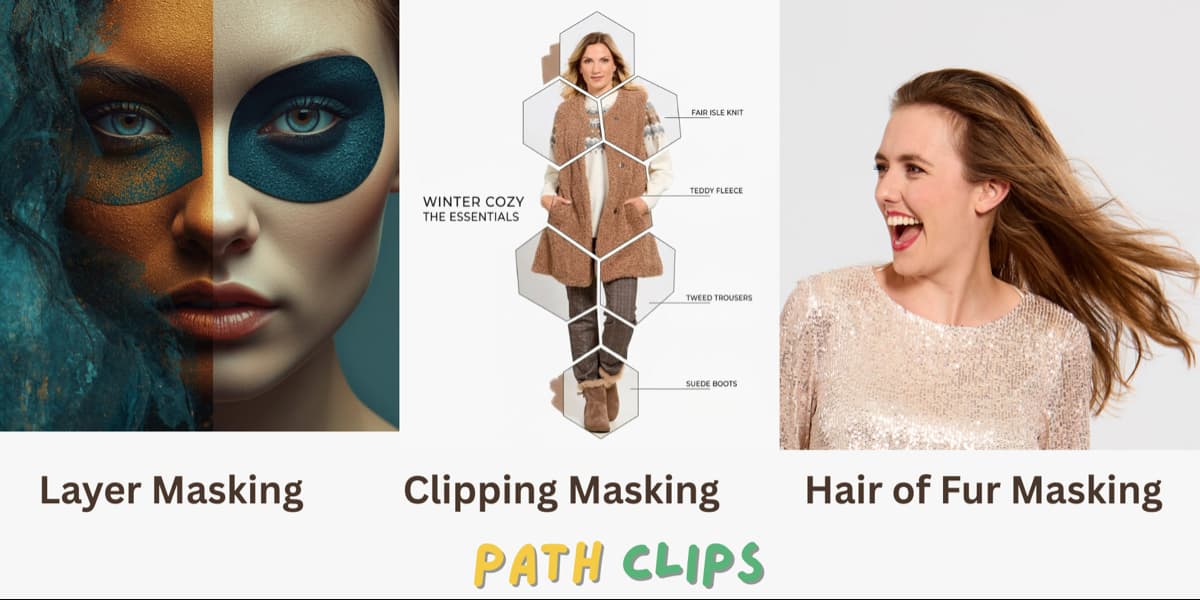
1. Layer Masking
Best for: Solid objects and general isolation
Layer masking is the foundation of most workflows. A grayscale mask is attached to a layer, and painting with black or white controls visibility.
Common uses:
- Product background removal
- Image compositing
- Gradient blends between images
2. Clipping Mask
Best for: Textures, patterns, and mockups
A clipping mask confines one layer within the shape of another. For example, placing a texture inside text outlines.
Common uses:
- Text filled with images
- Product mockups
- Design templates
3. Hair and Fur Masking
Best for: Hair, fur, feathers, fine edges
This technique isolates extremely detailed and semi-transparent strands. In Adobe Photoshop, the Select and Mask workspace (formerly Refine Edge) uses AI-assisted edge detection to extract fine details.
Common uses:
- Portrait photography
- Fashion e-commerce
- Pet product images
- Beauty marketing
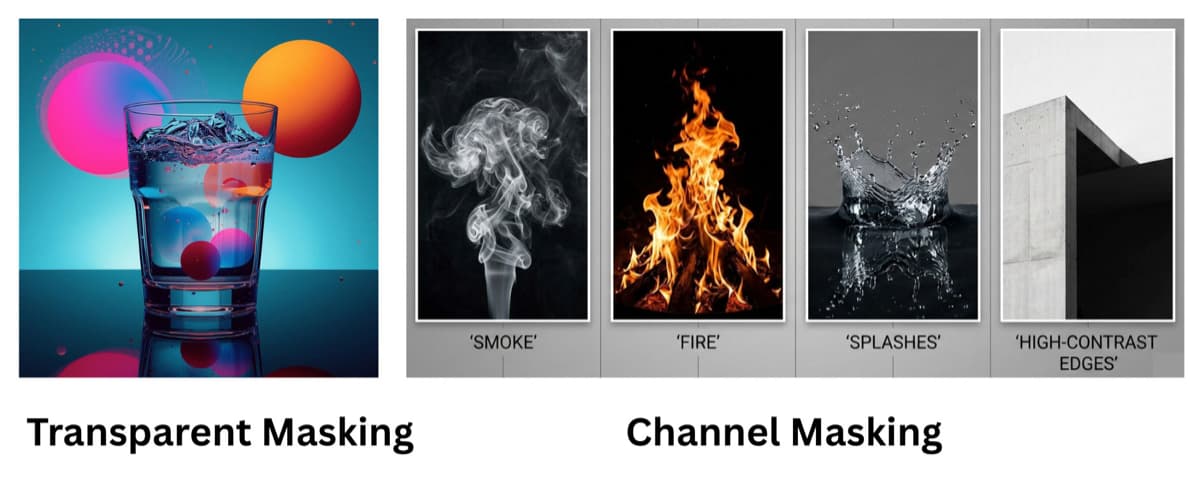
4. Transparent Object Masking
Best for: Glass, liquids, reflective materials
Transparent products reflect and refract light. Standard masking often makes them appear opaque. Advanced techniques preserve translucency and reflections while removing the original background.
Common uses:
- Perfume bottles
- Glassware
- Cosmetics packaging
- Beverage photography
5. Channel Masking
Best for: Smoke, fire, splashes, high-contrast edges
Channel masking uses the Red, Green, or Blue channels to build a high-contrast selection. Editors enhance the most suitable channel and convert it into a mask.
Common uses:
- Smoke and flame photography
- Water splashes
- Fine hair against bright backgrounds
6. Luminosity Masking
Best for: Landscape and HDR blending
This technique builds selections based on brightness levels, highlights, midtones, and shadows, allowing highly targeted tonal adjustments.
Common uses:
- Sky replacement
- Exposure blending
- Interior real estate photography
7. Vector Masking
Best for: Logos, packaging, geometric shapes
Unlike pixel-based masks, vector masks use mathematically defined paths. They scale infinitely without quality loss.
Common uses:
- Branding
- Print design
- UI elements
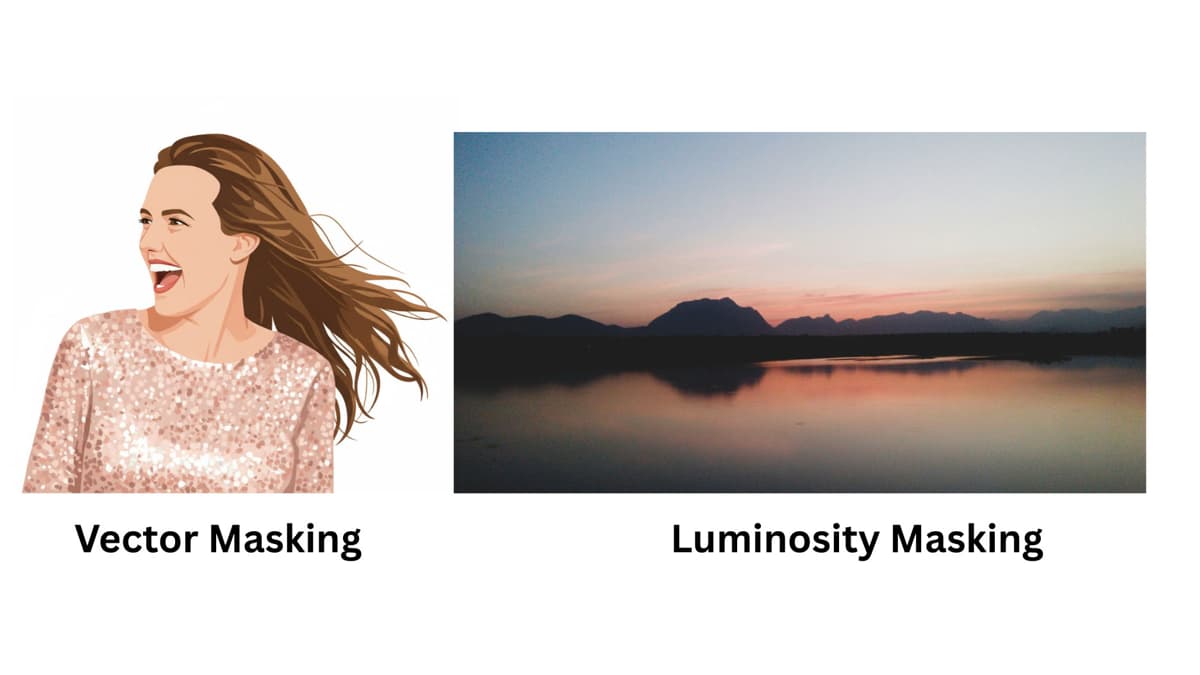
Image Masking vs. Background Removal
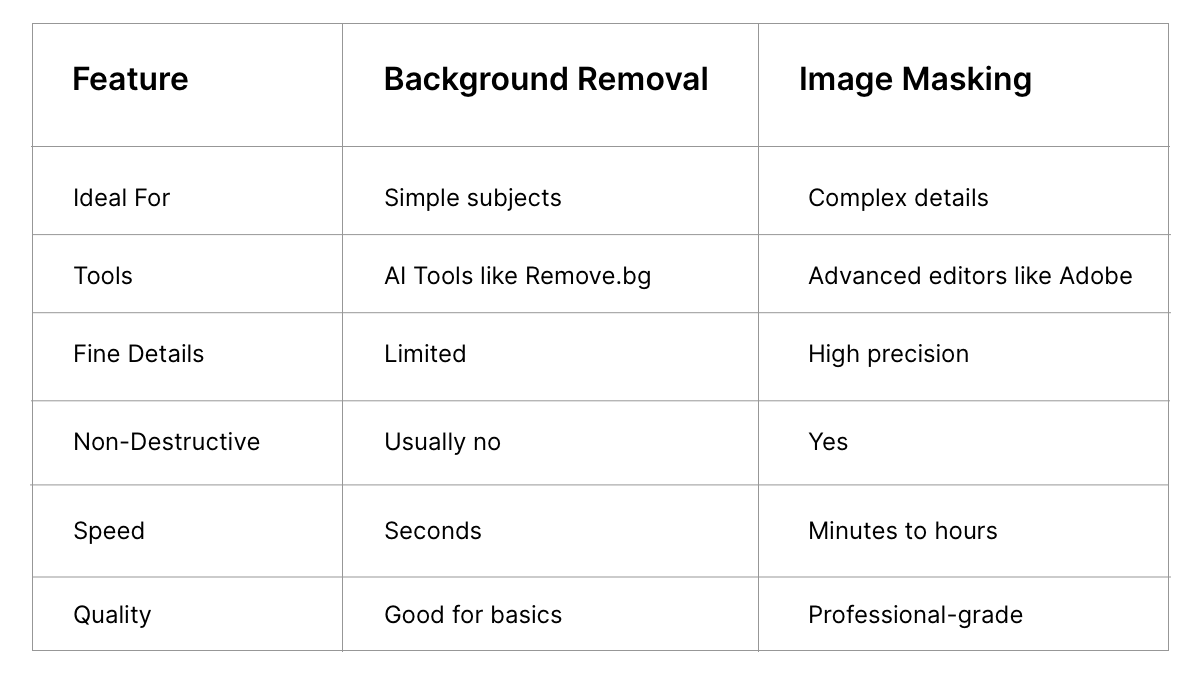
All background removal uses masking techniques, but masking extends far beyond simple cutouts.
Why Masking Is Critical in E-Commerce
Platform Requirements
Marketplaces such as Amazon require product images on pure white backgrounds (RGB 255,255,255). Complex edges demand accurate masking to comply.
Fashion & Apparel
Loose threads, sheer fabrics, and flowing garments require detailed masking. Ghost mannequin effects depend entirely on compositing through masks.
Jewelry & Cosmetics
Transparent gemstones and glass packaging need advanced masking to maintain realism.
Catalog Consistency
Large retailers rely on uniform product isolation across thousands of images.
Tools for Image Masking
Professional Software
- Adobe Photoshop – Industry standard with full masking capabilities
- Affinity Photo – Cost-effective alternative
- GIMP – Free and open-source option
AI-Based Tools
- Remove.bg
- Adobe Firefly
- Canva Pro
- Clipping Magic
Professional Services
- Pixelz
- Retouching Labs
When to Hire Professionals
Consider outsourcing if:
- Products contain hair, fur, lace, or mesh
- Images include glass or liquids
- You require marketplace-compliant white backgrounds
- You process high monthly volumes
- You see halos, jagged edges, or white fringing
Industries such as fashion, jewelry, and cosmetics often require specialized expertise.
Best Practices for Better Masking
- Shoot with separation in mind: Use clean, high-contrast backgrounds.
- Use RAW format: More data improves edge refinement.
- Avoid harsh shadows: Diffused lighting simplifies masking.
- Communicate output requirements clearly: White background outputs differ from lifestyle composites.
The Future of Masking: AI + Human Refinement
AI-driven masking has advanced rapidly. Tools now detect fine hair strands, preserve transparency, and batch-process large volumes. AI features in Adobe Photoshop and systems like Luminar Neo are advancing automation.
However, extremely fine detail, layered transparency, and creative composites still benefit from human judgment. The most effective workflows combine automation with manual refinement.
Final Thoughts
Image masking is foundational to professional image editing. Whether isolating products, compositing marketing visuals, or blending exposures, the right masking method determines the final quality.
Select your technique based on the subject complexity. If basic tools produce rough edges or visible artifacts, advanced masking or a specialist service will elevate your results.
Professional visuals are rarely accidental. They are built carefully, refined precisely, and perfected at the pixel level.
