
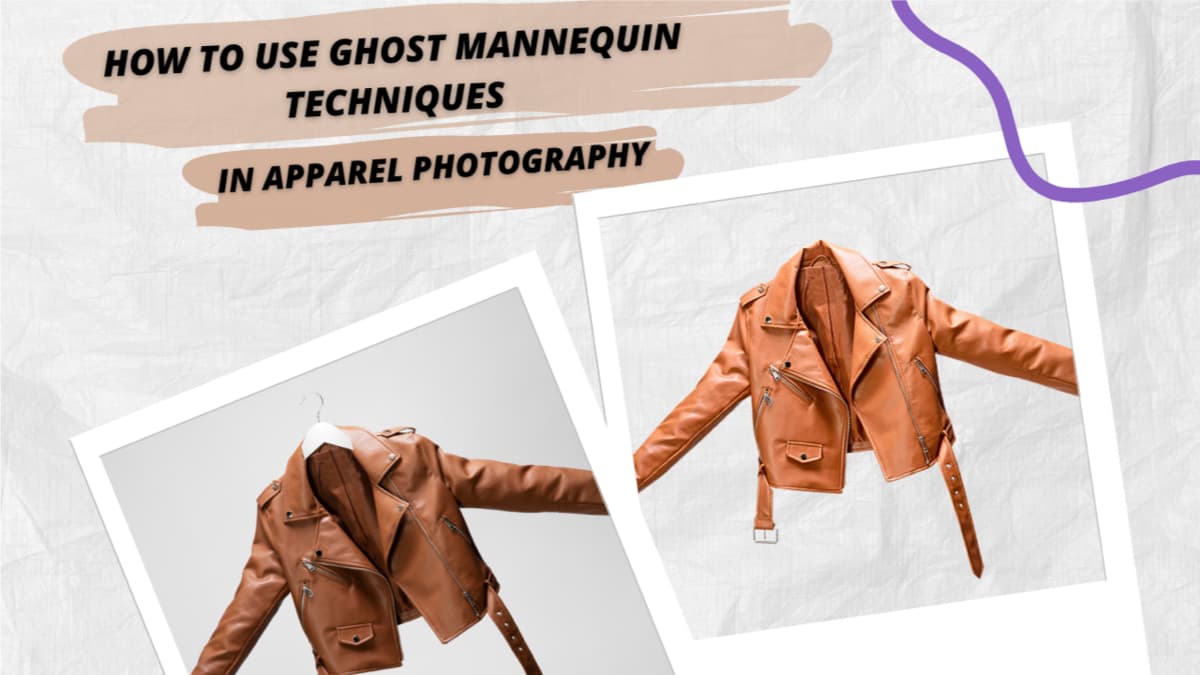
A perfectly styled shirt or dress can look lifeless on a hanger, and flat lace rarely captures the true fit or flow of the apparel in photography. Ghost mannequin techniques can transform your clothing photography in a big way. Using a mannequin photo editing service, you can create a clean, 3D effect that adds depth to. In addition, it also showcases details and makes your products irresistible online. Whether you’re taking your own photos or collaborating with a photographer, mastering these techniques will greatly improve your clothing photography. Ghost mannequin photo editing will help your clothing stand out and connect with customers in this online era. If you use these techniques, you can rest assured that your product will look great online, encouraging customers to click and buy. In this blog post, you will learn about different ghost mannequin techniques and editing.
What is Ghost Mannequin Photography?
Ghost mannequin photography is a professional apparel editing technique where the mannequin or model is removed from clothing photos. Also, creating a clean, realistic 3D look. This technique shows the garment's natural shape, fit, and structure as if it’s being worn—without any distractions.
Why Professional Photo Editing Is Crucial in Apparel Photography
Before reading anything, customers see the image first in the online market. In product photography, especially in apparel photography, visuals create the first and strongest impression. Customers cannot physically touch or try on clothing, so high-quality editing becomes essential for online success
Makes Products Look Structured and Professional
After capturing the image, raw apparel photos often include wrinkles, uneven lighting, or visible mannequins that distract from the garment. Using a ghost mannequin service, editors remove the mannequin and create a natural 3D shape. In addition, this ghost mannequin effect gives clothing a realistic, wearable appearance while keeping the focus entirely on the product.
Enhances Visual Consistency Across Your Store
Professional apparel photography services help keep all your product images. In addition, this means the same background, balanced lighting, proper alignment, and accurate colors in every photo. When your images look uniform and clean, your online store appears more professional and trustworthy. As a result, customers feel more confident while browsing and are more likely to make a purchase.
Highlights Fabric Details and Design
Advanced editing in apparel photography helps enhance fabric texture, stitching, folds, and true-to-life colors. A clear, detailed presentation is one of the most important Photography tips for fashion eCommerce, because customers rely entirely on visuals to judge quality. The ghost mannequin effect also allows viewers to see the inner collar, back design, garment shape, and details.
Improves Click-Through Rate and Sales
In crowded online marketplaces, strong product photography helps your listing stand out. Moreover, well-edited images attract more attention, increase click-through rates (CTR), and ultimately improve conversions. Professional ghost mannequin product photography not only attracts clicks but also builds purchase confidence, leading to higher sales and lower return rates.
Builds Brand Trust and Premium Perception
Clear, high-quality images created with a professional ghost mannequin service make your brand look reliable and premium. Poor editing or flat images can make even good-quality clothing look cheap. When your apparel photos look realistic, clean, and consistent, customers trust your brand more — and that trust strongly influences their buying decisions.
Ghost Mannequin Photography: Setup, Shooting & Editing Guide
How to Prepare for an Apparel Photo Shoot
Proper preparation is very important in Apparel Photography. Even the best editing or Ghost Mannequin technique cannot fix poorly prepared clothing. Good preparation saves your time and improves final results.
Selecting the Right Clothing Items
Choose clean, undamaged, and well-fitted garments for the shoot. Avoid clothes with stains, loose threads, missing buttons, or stretched fabric. If you are planning for ghost mannequin product photography, make sure the clothing fits properly on the mannequin. A good fit helps create a natural shape and makes editing easier. Use mannequins that:
Steaming or Ironing to Remove Wrinkles
Wrinkles are very noticeable in product photography, especially in close-up shots. Before shooting, steam or iron the clothing carefully. Smooth fabric helps:
- Show the correct garment shape
- Reduce heavy retouching work
- Create a more professional look
Choosing Colors and Fabrics That Photograph Well
Some colors and fabrics are easier to photograph than others.
- Avoid overly reflective or shiny materials, as they can cause lighting problems.
- Dark fabrics need proper lighting to show details.
- Light fabrics require balanced exposure to avoid overexposure.
How to Set Up the Shoot
A proper setup is essential for successful Apparel Photography and smooth Ghost Mannequin editing later. The way you prepare the shoot directly affects the final image quality.
Choosing a Mannequin or Model
If you use a model instead of a mannequin, keep the pose natural and simple. However, mannequins are preferred for Ghost Mannequin editing because they make it easier to remove the body and create the invisible effect during post-production. Choose a mannequin that:
- Matches the clothing size properly
- Has removable parts (neck or arms) if possible
- It is clean and scratch-free
Camera Angles and Framing
Keep the camera straight and aligned with the garment. Avoid tilting the camera, as it can distort the clothing's shape. For eCommerce:
- Shoot from eye level.
- Center the product
- Leave equal space around the garment.
Lighting Tips for Even Exposure
For better Product image results, lighting is an essential aspect. Also, proper lighting can help you capture the cloth's true texture, color, and pattern. For better results:
- Use soft, diffused lighting.
- Avoid harsh shadows.
- Prevent overexposed highlights.
- Keep fabric colors true to life.
Background Setup
The best way to highlight the clothing while avoiding distractions is to use the white background option for the background setup. To keep your background effective:
- Use pure white or light neutral tones.
- Avoid textured or distracting backdrops.
- Maintain consistency across all product images.
- Follow the marketplace image guideline.
Editing and Enhancing Apparel Photos
Accurate Color Correction
Customers always expect the product to look exactly like the photo. If the color feels off, trust drops instantly. For this, adjusting white balance and tones is so important — it keeps your fabric looking real and reliable.
Fix Wrinkles and Small Imperfections
Even after steaming, tiny wrinkles or dust can still appear. In addition, cleaning these up during editing makes your clothing look fresh, smooth, and ready to wear.
Refine the Shape for the Ghost Mannequin Effect
Once the mannequin is removed, the garment must still hold its natural form. Careful adjustments ensure it looks structured and wearable.
Add Soft, Realistic Shadows
Without a shadow effect, clothing can look lifeless. Try adding subtle depth to make the product feel more realistic and premium.
Keep Everything Consistent
When all your images follow the same style, lighting, and alignment, your store looks organized and professional. Moreover, when your store looks professional, customers feel confident buying from you.
Conclusion
Photo editing is an important process before displaying your apparel images online. Images are also used to determine which products to purchase. In addition, the ghost Mannequin technique can greatly contribute to your online success, transforming dull images into professional and realistic ones. You should work a few careful editing steps, like removing the mannequin, correcting colors, and adding depth. These are the crucial parts that can take your photos from good to great. If you’d rather leave it to the experts, PathClips can handle it for you. Also, ensuring every product looks polished, structured, and ready for your online store.
